> ## Documentation Index
> Fetch the complete documentation index at: https://docs.sleekchat.ai/llms.txt
> Use this file to discover all available pages before exploring further.
# Use Your Gravatar
> Opt to use your Gravatar instead of the default avatar.
## How to enable Gravatar
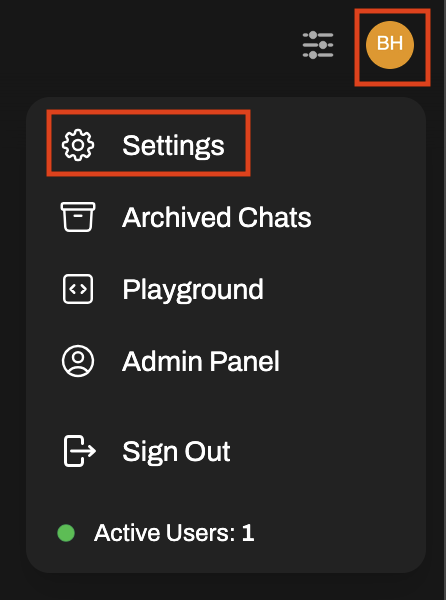 Click on the `Account` menu item on the left.
To the right of your profile picture, you will see a button that says `Use Gravatar`. Click on it.
Click on the `Save` button on the bottom right corner.
Now your profile picture will be replaced with your Gravatar. If you don't have a Gravatar, you can create one at gravatar.com.
Click on the `Account` menu item on the left.
To the right of your profile picture, you will see a button that says `Use Gravatar`. Click on it.
Click on the `Save` button on the bottom right corner.
Now your profile picture will be replaced with your Gravatar. If you don't have a Gravatar, you can create one at gravatar.com.